

Fix every typo in one click, without the AI rewriting your reply
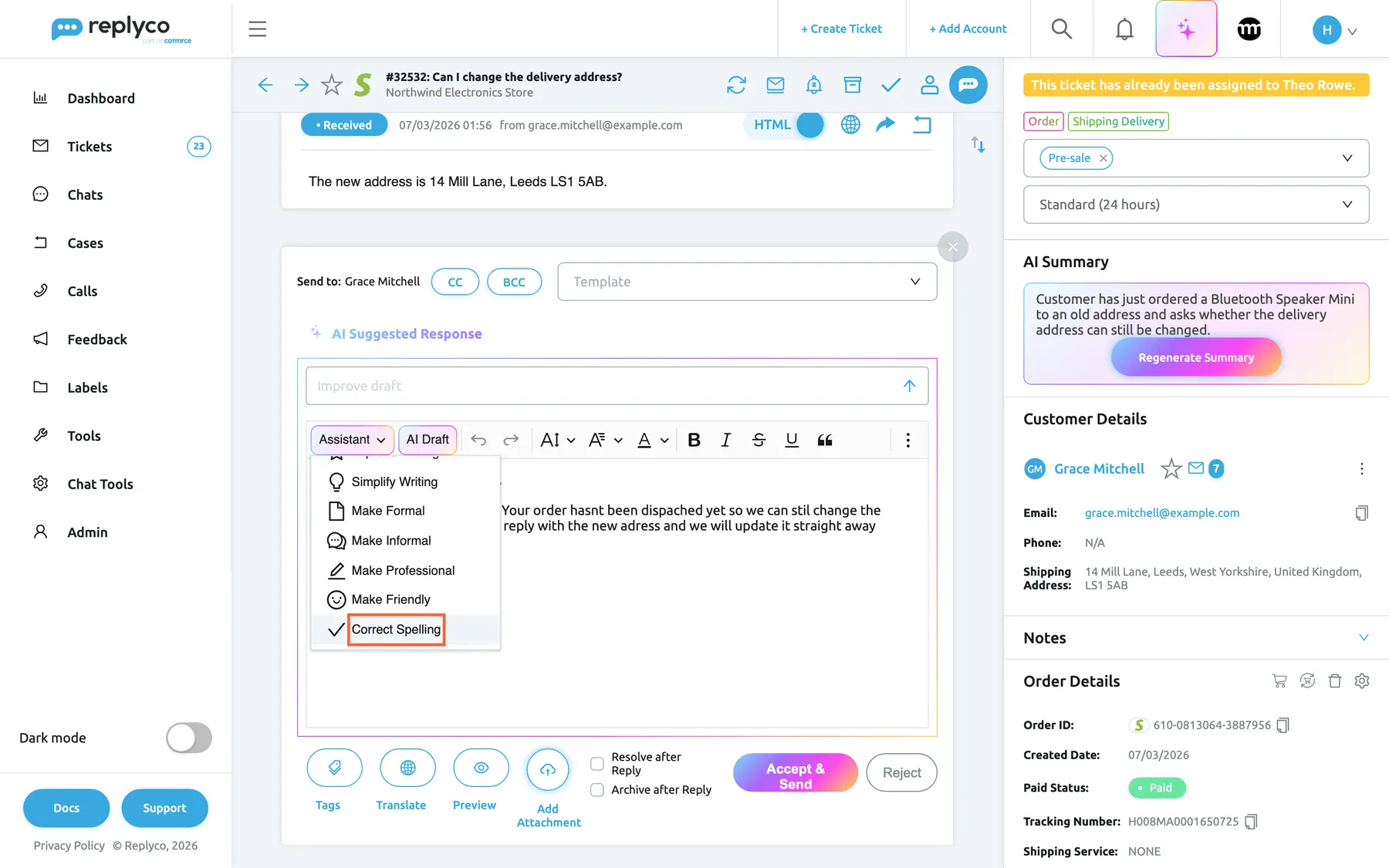
A reply with typos in it looks careless, however good the answer is. Correct Spelling is a new choice in the AI assistant: it fixes the spelling, grammar and punctuation in your reply and leaves every other word exactly as you wrote it.
What’s new
Section titled “What’s new”- One click fixes the mistakes. Choose Correct Spelling from Assistant in the reply editor, and typos, wrong apostrophes and missing commas and full stops are corrected before the customer sees them.
- Your words stay yours. Unlike Improve Writing, it never rephrases, shortens or restructures a sentence, and a reply without mistakes comes back unchanged, so you can run it on every reply without reading a rewritten version.
- Placeholders stay in place. Tags such as
#customer_first_name#are kept exactly where you put them, so replies built from templates and AI drafts still fill in correctly. - In the language you wrote. A German reply is corrected in German and an English one in English; nothing is translated.
- One sentence or the whole reply, in tickets and chats. Select part of the text to correct only that part, or use it in the chat reply box for WhatsApp, Messenger, Instagram and your live chat.
What this screenshot shows
- Screen
- Respond (/ticket/:threadId)
- Highlighted
- button “Correct Spelling”, editor-toolbar-left, menu-open. corrects spelling
- Also visible
- draft reply with spelling and punctuation mistakes in the editor; Assistant menu open with nine options; Correct Spelling at the end of the menu
- Purpose
- the Correct Spelling option of the AI assistant
Why it matters
Section titled “Why it matters”A spelling fix that also rewrites the message makes the agent read it again before sending, which cancels out the time it saved. Because Correct Spelling changes only what is wrong, an agent who types fast can correct and send in seconds, and the facts, the tone and the promises in the reply are exactly the ones the agent chose.
What this screenshot shows
- Screen
- Respond (/ticket/:threadId)
- Highlighted
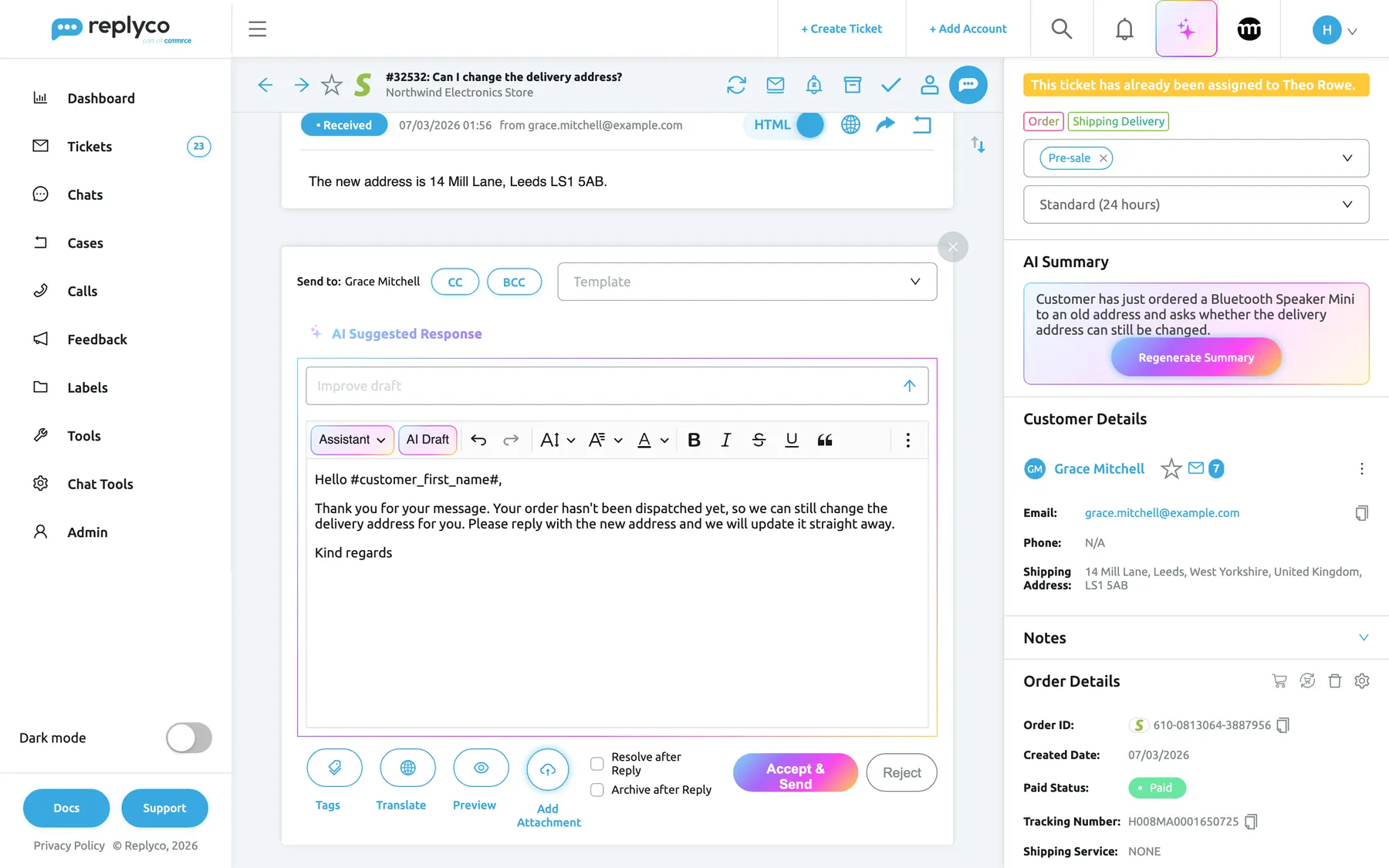
- textbox “Respond”, editor, corrected. holds the corrected reply
- Also visible
- corrected reply in the editor; #customer_first_name# tag kept; wording unchanged apart from the corrections
- Purpose
- the result of Correct Spelling
Get started in three steps
Section titled “Get started in three steps”-
Open a ticket and select Respond, or open a conversation under Chats.
-
Write your reply, select Assistant in the editor toolbar and choose Correct Spelling. In a chat, the menu is AI Help. To correct one sentence only, select it first and choose Correct Spelling from the small AI Assistant menu that appears.
-
The corrected text replaces yours in the editor. Glance over it and send.
Every choice in the assistant, and how the selection menu works, is in Rewrite a reply with the AI assistant.
Availability
Section titled “Availability”Correct Spelling is part of Replyco AI, which every plan includes; during a trial every feature is on. It is in the ticket reply editor, in the editor for a new ticket and in the chat reply box, for everyone who can reply there. Each correction is one AI action, listed as Message Update under AdminBilling › AI Usage.
Learn more
Section titled “Learn more”- Rewrite a reply with the AI assistant: every rewrite choice in the ticket editor, and correcting a selection only.
- Answer a chat: the AI assistant in the chat reply box.
- Create Ticket: the same assistant when you write to a customer first.
- AI drafts: let Replyco write the first draft, then correct it.