

Connect Etsy
Connect your Etsy shop and the emails Etsy sends about it, such as the notice that a buyer has written to you or that you made a sale, arrive in Replyco as tickets, with the Etsy order beside them. Etsy gives Replyco no access to its conversations, so you read and answer Etsy buyers on Etsy itself; Replyco keeps Etsy’s notices and orders in one place with the rest of your channels. The connection has two parts: you allow Replyco to read your shop’s orders on Etsy, and you forward Etsy’s emails to an address that Replyco creates for the shop.
Before you start
Section titled “Before you start”| You need | Where it lives |
|---|---|
| The Admin permission in Replyco | AdminUsers; see Invite users and set what they can do |
| The Etsy login that owns the shop | Etsy |
| Access to the mailbox that receives Etsy’s emails about the shop, to forward them | Your email provider |
| A free account on your plan | AdminBilling; see Billing |
Availability: every plan includes Etsy, and Replyco checks Etsy for new orders. Companies on an older plan may not have order sync; see What each plan includes.
-
Select + Add Account in the top bar.
The Add Account page opens with one tile per marketplace. To connect another channel instead, see Add Account.
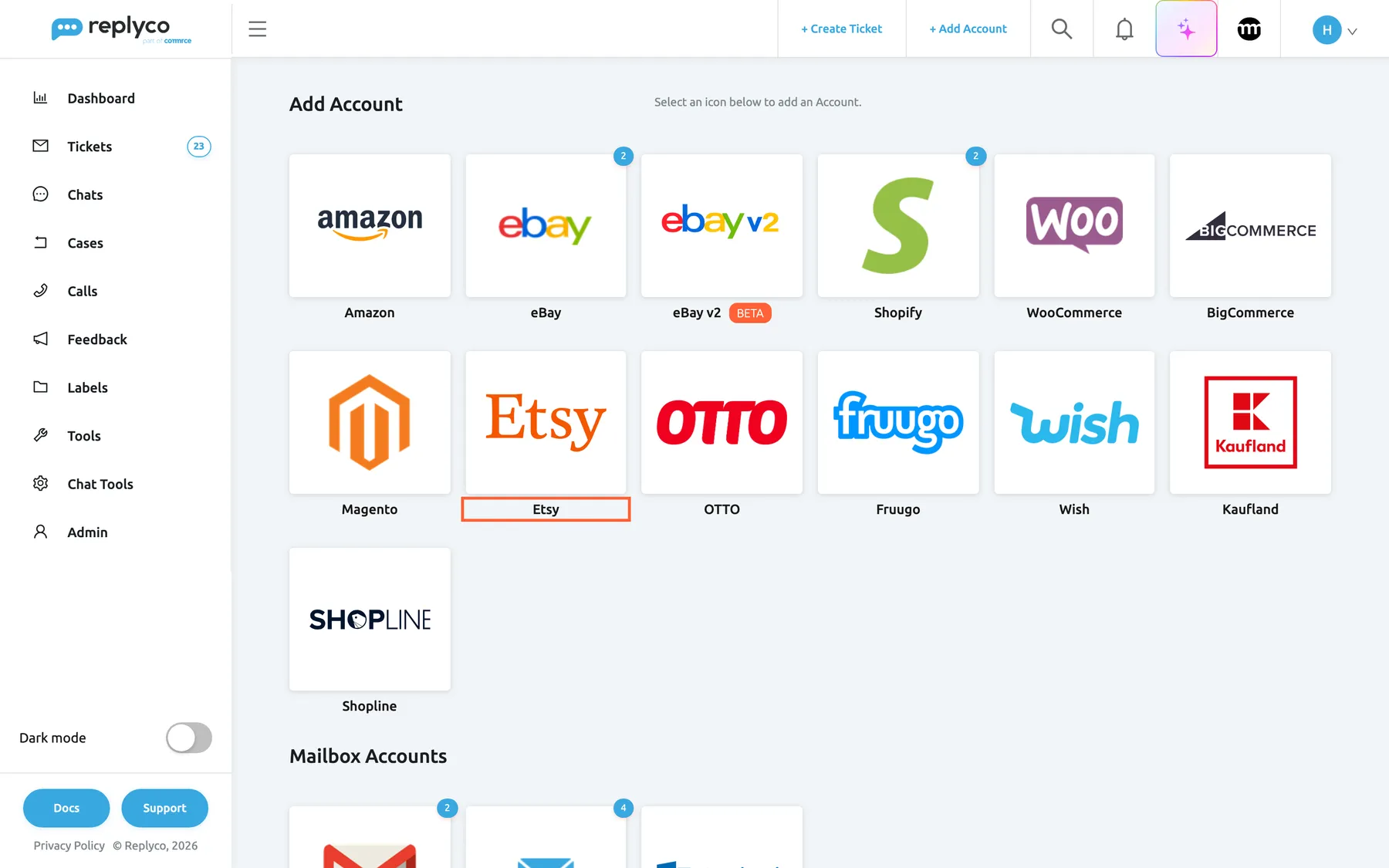
Etsy has its own tile among the marketplaces on the Add Account page. What this screenshot shows
- Screen
- Add Account (/integrations/add)
- Highlighted
- button “”, marketplace-tiles, enabled. opens the Etsy connect dialog
- Also visible
- marketplace and webstore tiles; Mailbox Accounts heading below
- Purpose
- start connecting Etsy
-
Select the Etsy tile. The dialog Authorize Replyco to sync with Etsy opens at its first step, INFO.
Enter an Account Name your team recognises; it labels every ticket from this shop. Enter your shop’s email address in Display Email; when you use your own mailbox (see Options), Replyco keeps it as the account’s sender address. Optionally enter your shop’s name in Send Name as. Leave Custom SMTP Configuration unticked to receive Etsy’s emails at a Replyco address; the other choice is under Options. Select Authorize.
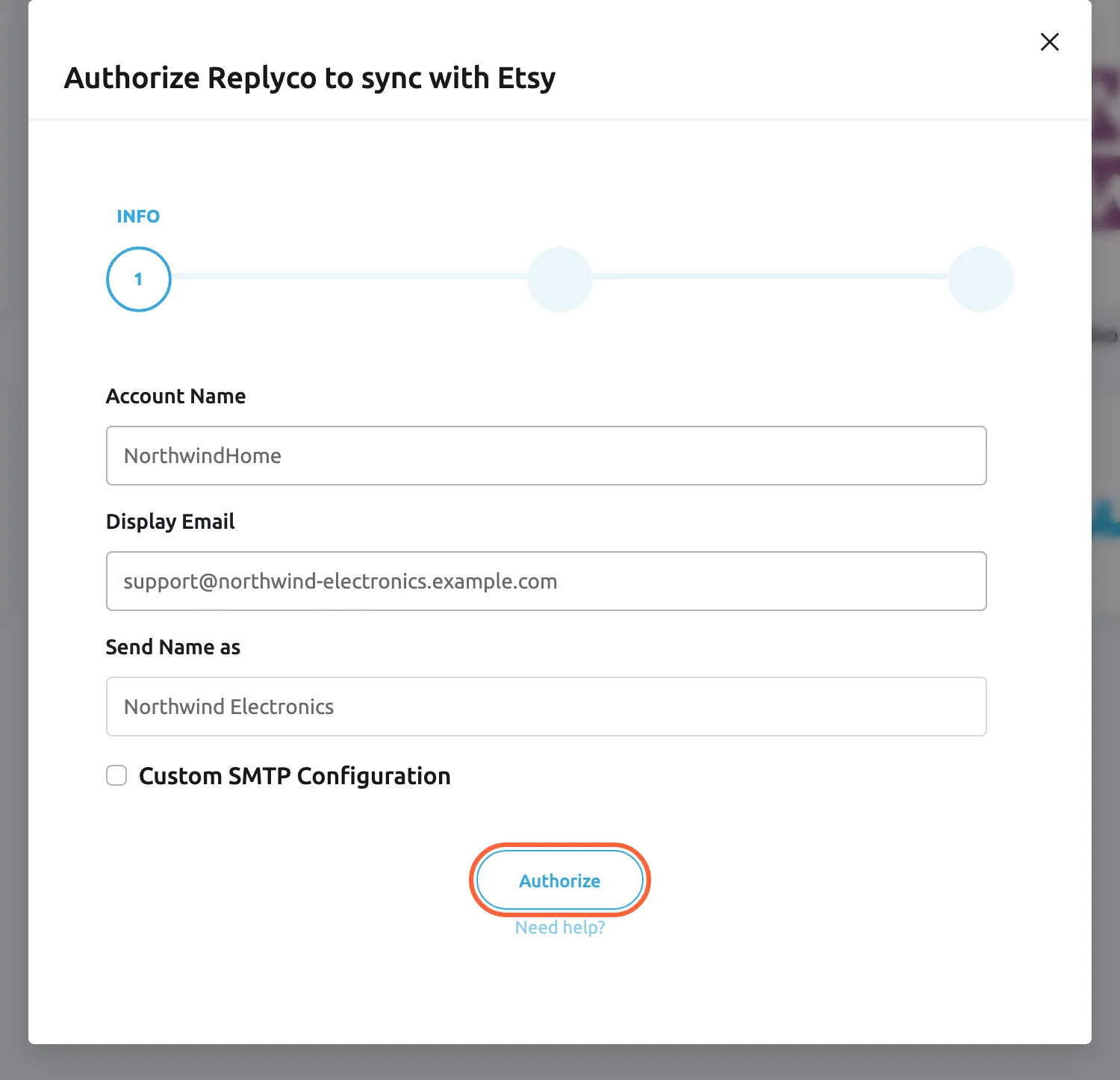
Name the shop the way your team knows it; leave Custom SMTP Configuration unticked to use a Replyco address. What this screenshot shows
- Screen
- Authorize Replyco to sync with {{name}} (/integrations/add)
- Highlighted
- button “Authorize”, dialog-bottom, enabled. keeps the details and moves to the AUTHORIZE step
- Also visible
- Account Name: NorthwindHome; Display Email: support@northwind-electronics.example.com; Send Name as: Northwind Electronics; Custom SMTP Configuration unticked
- Purpose
- enter the Etsy account details
-
The dialog moves to AUTHORIZE. Select Authorize again: Etsy opens in a new browser tab. Sign in with the Etsy login that owns the shop and allow Replyco access.
Replyco asks Etsy only for permission to read your shop’s data, never to change it. Stay in the Etsy tab: when you have allowed access, Etsy sends you back to Replyco, which saves the account.
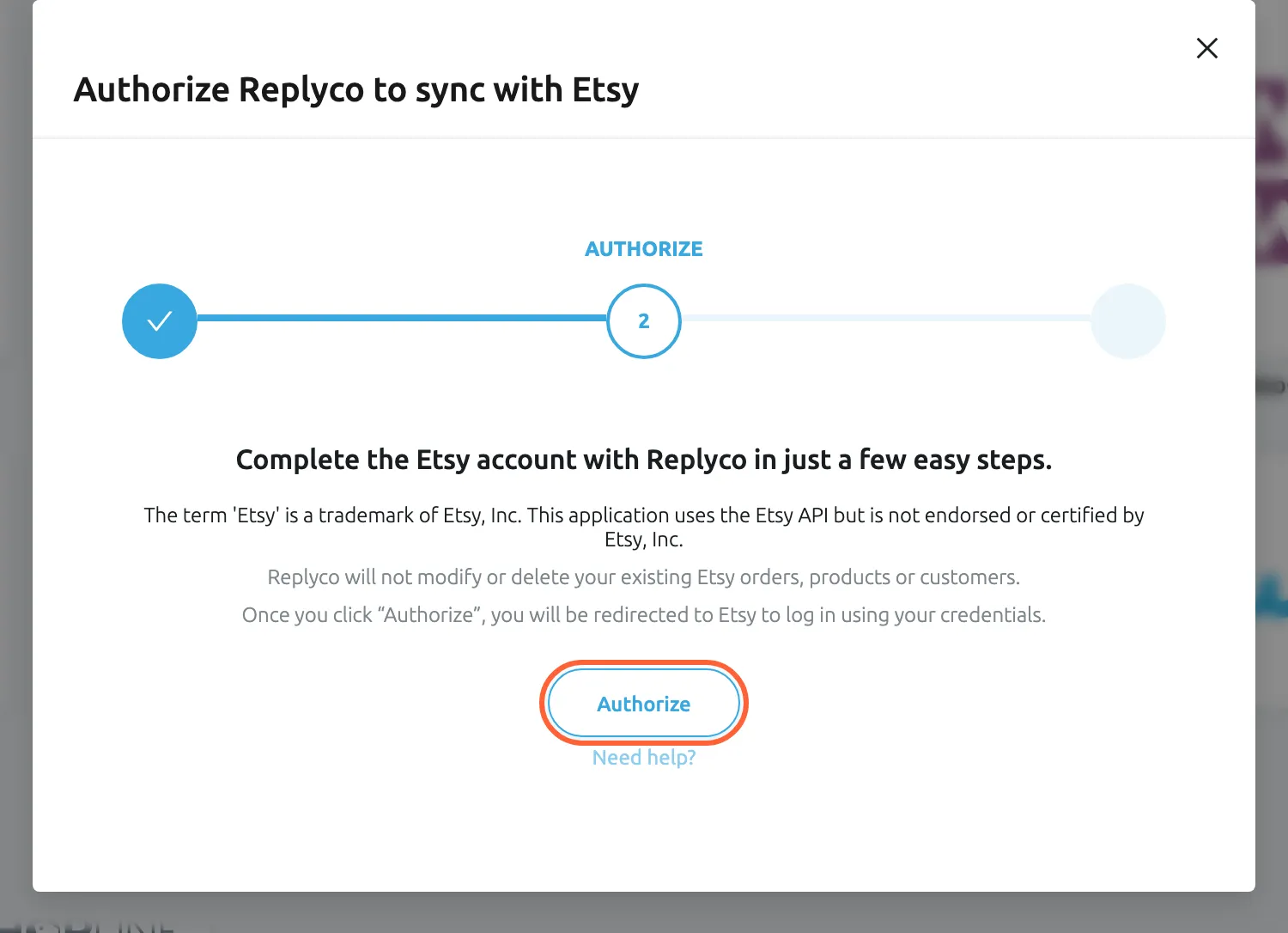
Authorize opens Etsy in a new tab; sign in there with the Etsy account that owns the shop. What this screenshot shows
- Screen
- Authorize Replyco to sync with {{name}} (/integrations/add)
- Highlighted
- button “Authorize”, dialog-bottom, enabled. opens Etsy sign-in in a new tab
- Also visible
- step AUTHORIZE; Etsy trademark note; Need help? link
- Purpose
- send the seller to Etsy to allow access
In the Etsy tab, Etsy shows An application would like to connect to your account, with the Etsy login you are signed in as and the list of what Replyco may see. If the login is not the one that owns the shop, sign in as someone else from there. Select Allow Access.
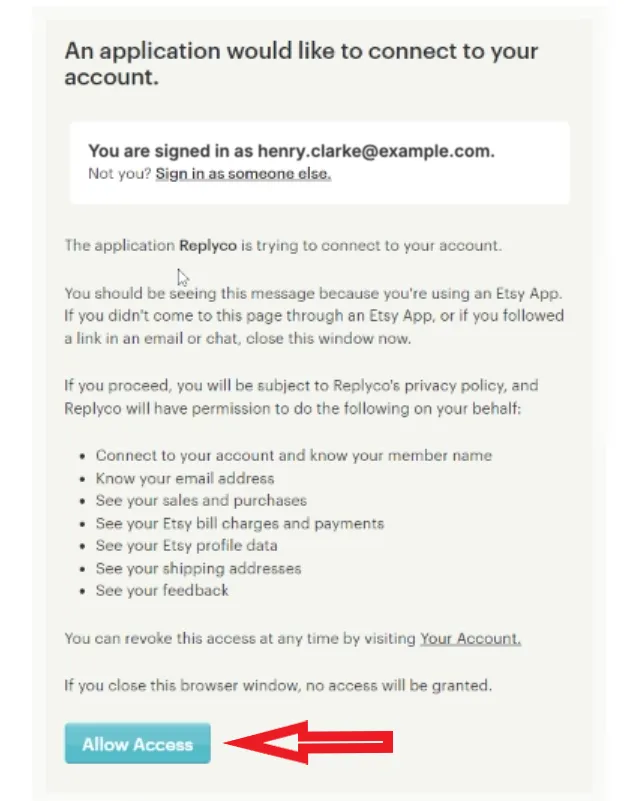
Check that the application is Replyco, then select Allow Access. What this screenshot shows
- Screen
- ()
- Highlighted
- “”, , .
- Also visible
- signed-in Etsy login; the application Replyco; list of permissions, all read-only; Allow Access button
- Purpose
-
After you allow access, Etsy returns you to Replyco, which shows Almost done..., saves the account and confirms with Account successfully saved.. Select Copy Email Address to copy the address Replyco created for the shop, then select Done.
Done works only after you copied the address; until then Replyco shows Click the copy icon and save the e-mail address before you proceed.. You can copy the address again at any time from the account’s details under Setup Email Forwarding:.
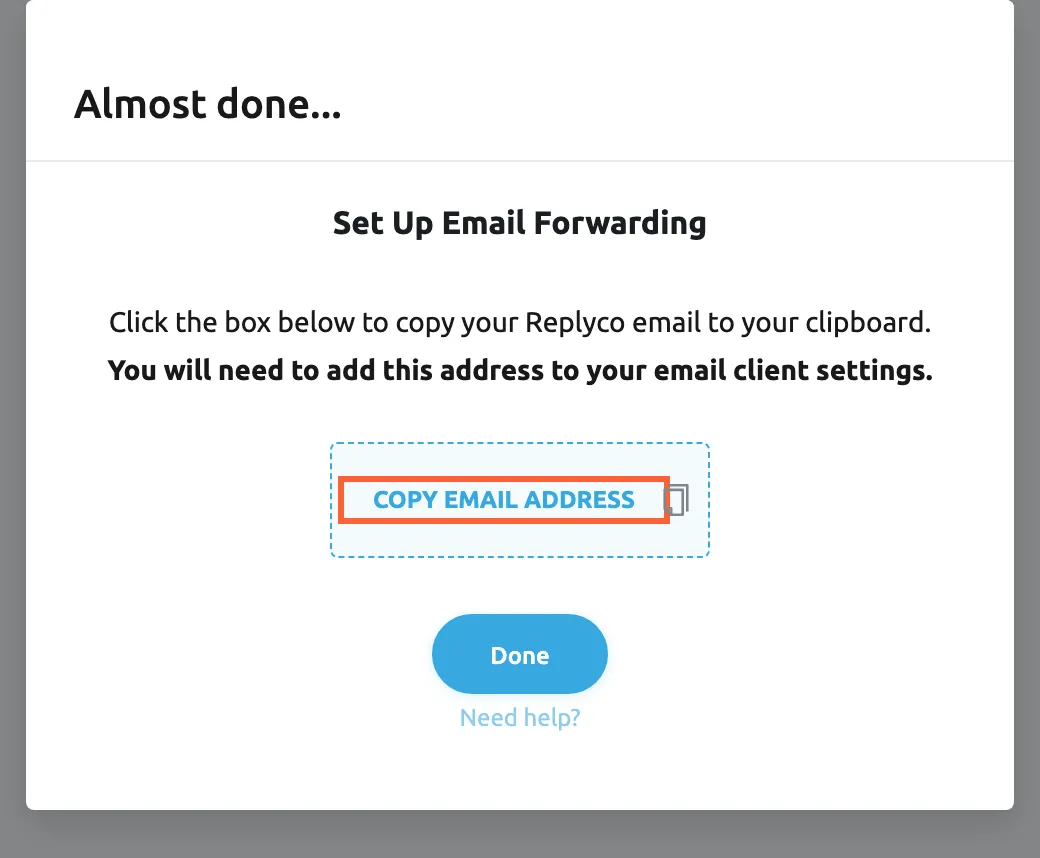
Copy the Replyco address; Etsy's emails about buyer messages and orders have to reach it. What this screenshot shows
- Screen
- Almost done... (/integrations/etsy/success)
- Highlighted
- button “Copy Email Address”, dialog, enabled. copies the account's Replyco address
- Also visible
- Set Up Email Forwarding; Done button; Need help? link
- Purpose
- copy the address Etsy's emails must reach
-
In the mailbox that receives Etsy’s emails about your shop, set up forwarding of those emails to the Replyco address. For how forwarding works, see Mailbox by forwarding.
What happens next
Section titled “What happens next”The account appears on AdminAccounts and starts to sync at once; to check how its sync is going, see Accounts. Tickets arrive only after you have set up forwarding: Replyco checks the Replyco address for new emails every five minutes, and emails from before the forwarding are not imported. When Etsy next emails you about the shop, check that a ticket appears in TicketsNot Resolved.
Replyco also checks Etsy for new orders every few minutes. Whenever Etsy’s email names an order, Replyco fetches that order from Etsy and puts it beside the ticket.
Replying to Etsy buyers
Section titled “Replying to Etsy buyers”- Etsy tickets cannot be answered from Replyco. Replyco turns replies off for every message from Etsy, so an Etsy ticket has no Respond button and auto-responses skip it. Open the conversation on Etsy to read the buyer’s whole message and answer there.
- Every email that reaches the Replyco address becomes a ticket, Etsy’s own notices included. If you forward all mail from that mailbox, Etsy’s sign-in codes arrive as tickets too; search for the sender in the ticket list to find one.
- To sort Etsy’s notices automatically, for example under a label, see Rules for incoming tickets.
Options
Section titled “Options”| Choice | When to pick it | Effect |
|---|---|---|
| A Replyco address (Custom SMTP Configuration unticked) | Etsy writes to a mailbox you can forward from | Replyco creates a mailbox for the shop and shows its address to copy. |
| Your own mailbox (Custom SMTP Configuration ticked) | Etsy writes to a mailbox you want Replyco to read directly | Enter the mailbox’s login and its IMAP or POP3 and SMTP servers. Replyco checks the login when Etsy sends you back, then asks Set up Folders to Sync messages from instead of showing an address; This step is optional. You can do it later at any time. See Mailbox with IMAP and SMTP. |
If something goes wrong
Section titled “If something goes wrong”| Symptom | Check | Fix |
|---|---|---|
| You must complete ALL FIELDS in order to save this account! | Account Name or Display Email is empty. | Fill in both; Send Name as is optional. |
| Email is invalid | Display Email is not a complete address. | Enter an address such as support@yourshop.com. |
| “Integration with this name already exists” | Another Etsy account in Replyco has the same Account Name. | Start again with a different name. |
| “You reached your current plan maximum integrations count. Contact support for more info.” | Your plan has no free account; + Add Account is then also missing from the top bar. | Delete an account you no longer use, or change your plan on AdminBilling. |
| “Something went wrong with validation” followed by Etsy’s own text | Etsy did not confirm Replyco’s access. | Start again from + Add Account. |
| “Authentication failed.” | You ticked Custom SMTP Configuration and your mailbox refused the login. | Check the mailbox’s login and servers, then start again. |
| The account is connected but no tickets arrive | Is Etsy’s email forwarded to the Replyco address? | Set up the forwarding with the address from the account’s details. |
| An Etsy ticket has no Respond button | This is expected for every Etsy ticket. | Answer the buyer on Etsy. |
| The account shows Blocked or Marketplace data sync is Temporarily Blocked. | Etsy no longer accepts Replyco’s access. | Select Re-login in the account’s details; see Fix a blocked or silent account. |