

Social media and phone accounts
Connect the messengers your customers use and their messages arrive in Replyco as chats, next to your tickets; connect Aircall and your team’s phone calls appear alongside. Replyco connects WhatsApp, Facebook Messenger, Instagram, Telegram and TikTok Shop, and the Aircall phone system. Messenger messages become chats, not tickets: they appear under Chats with their own lists, templates and auto-responses, and your replies go straight back on the channel the customer wrote on. Calls appear under Calls.
Every connection starts from + Add Account in the top bar, in the group Social Media and Phone Accounts, and each one becomes an account in Replyco. Most of them are a sign-in: Meta’s window for WhatsApp, Facebook for Messenger and Instagram, TikTok Shop’s seller authorisation and Aircall’s sign-in. Telegram is the exception: you create a bot with Telegram’s BotFather and paste its token. To connect a marketplace, webstore or mailbox instead, see Marketplaces, Webstores and Mailboxes.
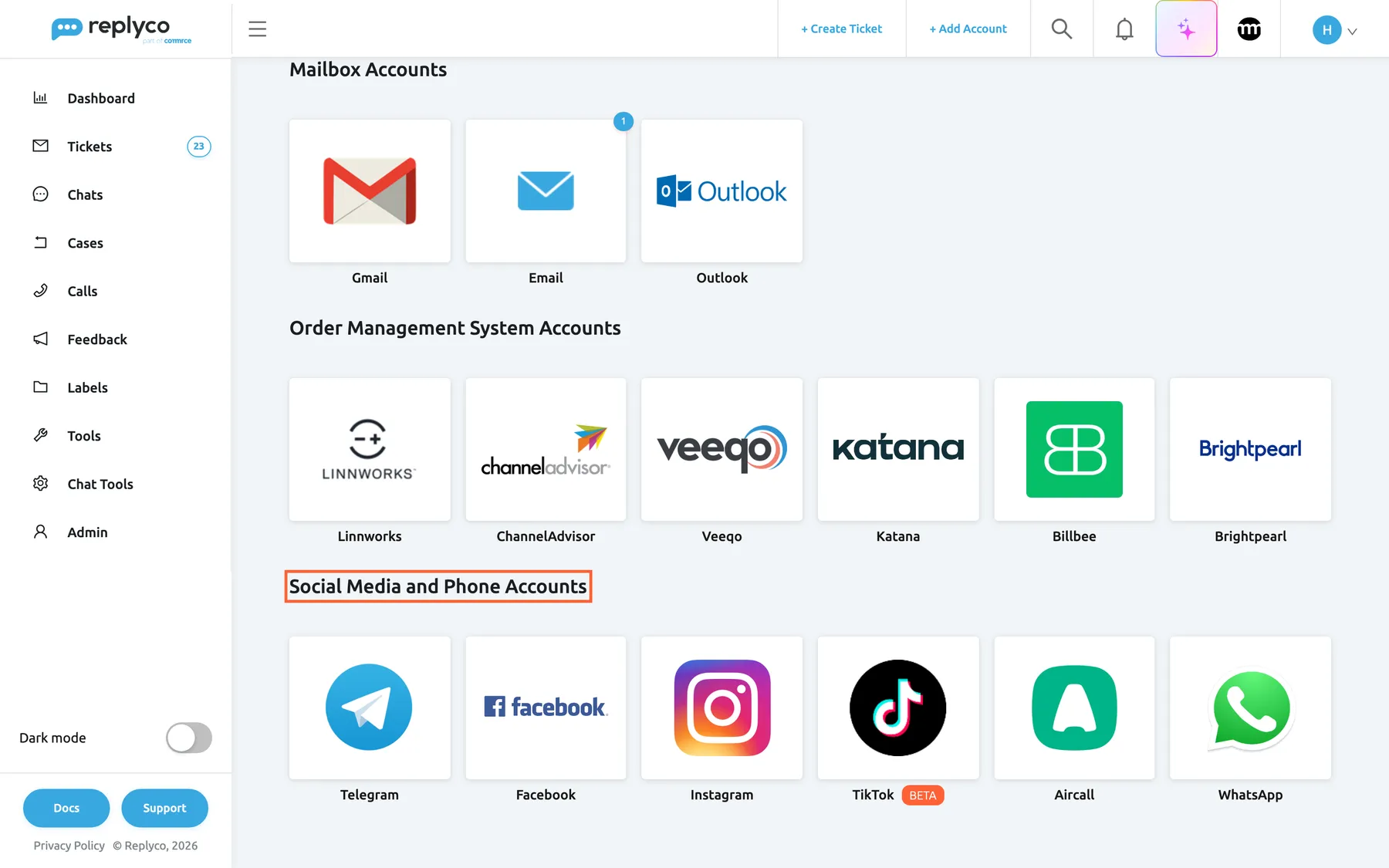
What this screenshot shows
- Screen
- Add Account (/integrations/add)
- Highlighted
- “”, last-group-heading, shown. none
- Also visible
- Mailbox Accounts: Gmail, Email, Outlook; Order Management System Accounts: six tiles; Telegram, Facebook, Instagram, TikTok (BETA), Aircall, WhatsApp
- Purpose
- where every messenger and phone channel is connected
The screens in this area
Section titled “The screens in this area”| Screen | What it is for |
|---|---|
| Add Account | One tile per channel; the group Social Media and Phone Accounts holds Telegram, Facebook, Instagram, TikTok, Aircall and WhatsApp, and each tile starts its connect steps |
| Accounts | Every connected account with its sync status; open one to rename it, delete it or sign in again |
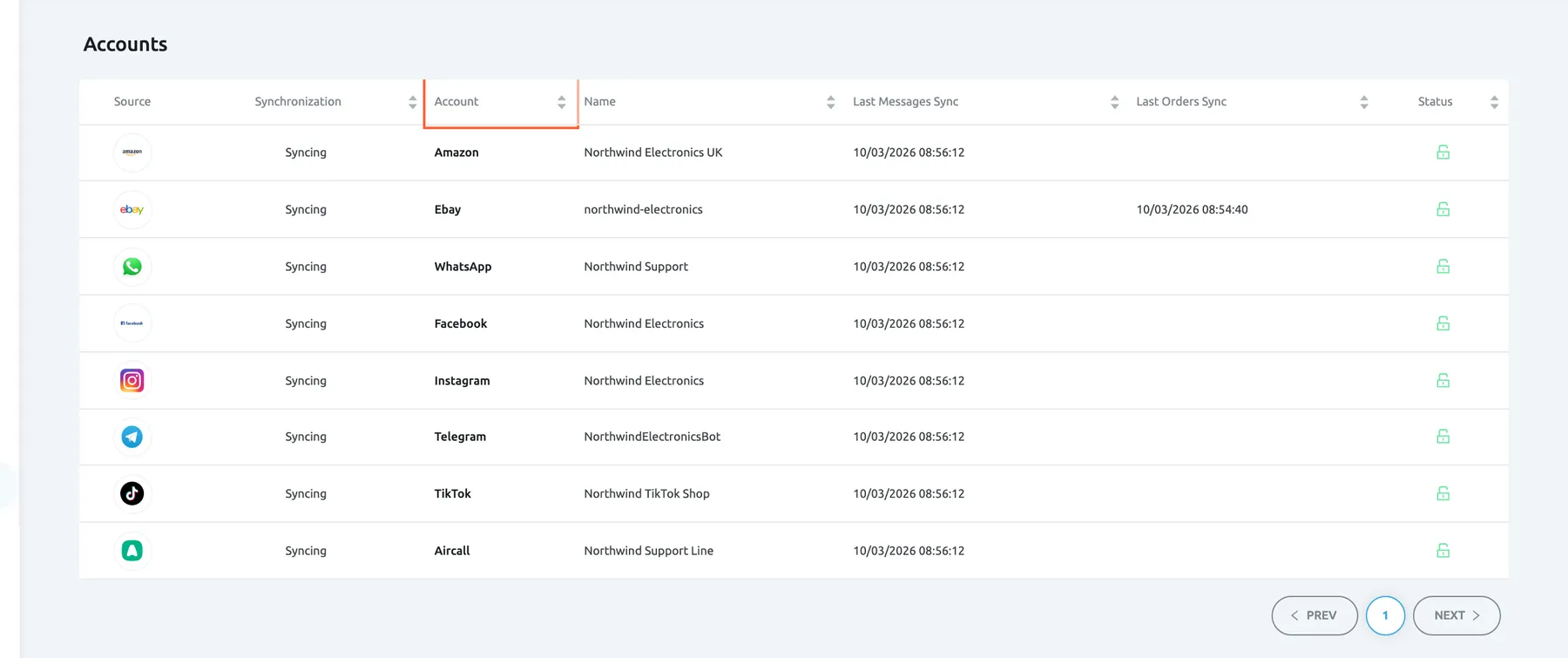
What this screenshot shows
- Screen
- Accounts (/integrations)
- Highlighted
- columnheader “Account”, table-header, sortable. sorts the list by channel
- Also visible
- 8 accounts, all Syncing, green open locks; WhatsApp, Facebook, Instagram, Telegram, TikTok, Aircall rows
- Purpose
- every connected messenger and phone account in one list
The channels
Section titled “The channels”| Channel | What it needs | Where it arrives | Guide |
|---|---|---|---|
| A Meta business with a WhatsApp Business Account and a phone number, set up in Meta’s window over Replyco | Chats | Connect WhatsApp | |
| Facebook Messenger | A Facebook login with full control of each page; one account per page | Chats | Connect Facebook Messenger |
| An Instagram business account linked to a Facebook page you manage, with message access allowed in the Instagram app | Chats | Connect Instagram | |
| Telegram | A bot created with BotFather; its token goes into HTTP API | Chats | Connect Telegram |
| TikTok Shop (BETA) | Authorisation by your TikTok Shop seller account; one account per shop | Chats | Connect TikTok Shop |
| Aircall | Aircall’s sign-in with an admin login; no API key | Calls | Connect Aircall |
What you can do here
Section titled “What you can do here”- Connect a messenger or Aircall from its tile on the Add Account page; the guides in the table above walk through each one. Add Account
- Check that a connected account works, rename it or sign in to Aircall again. Accounts
- Answer the chats that arrive from WhatsApp, Messenger, Instagram, Telegram and TikTok Shop. Answer a chat
- Greet chat customers automatically, for example outside your opening hours; WhatsApp chats never get an auto-response. Auto-responses for chats
- Follow up phone calls with their recording, notes and the customer’s tickets. Calls
Concepts
Section titled “Concepts”- Chats, not tickets. Messenger conversations run in their own inbox under Chats, one running conversation per customer. See Chats and Chat list and conversations.
- The 24-hour window. WhatsApp, Messenger and Instagram accept an ordinary reply only within 24 hours of the customer’s last message. See Answer a chat.
- Who sees a new account’s chats. Every user of your company gets access to a new account; admins decide per user which accounts each one is responsible for. See Invite users and set what they can do.
Availability: every plan includes chats, WhatsApp and calls. Connecting an account needs the Admin permission, and each connected account counts towards your plan’s number of accounts; the WhatsApp tile needs the WhatsApp feature and the Aircall tile the Calls feature, both part of every plan. See What each plan includes.