

Chats
Customers who write to you on WhatsApp, Facebook Messenger, Instagram, Telegram or TikTok Shop, or through the live chat widget on your website, expect an answer within minutes, not hours. Replyco brings all of these conversations into one chat inbox. Each chat is one running conversation with one customer, and your replies go straight back to them on the channel they used. To connect a messenger account, see Social media and phone accounts; to put a chat window on your website, see Live chat widget.
Chats in the sidebar has three lists: My Chats for the chats assigned to you, Open for every open chat of the accounts and widgets you are responsible for, and Closed for finished chats. Chats are separate from tickets: they have their own lists, their own templates and auto-responses under Chat Tools, and a chat becomes a ticket only when you send its transcript. A colour in each row shows how long the customer has waited, so the team can answer the longest wait first.
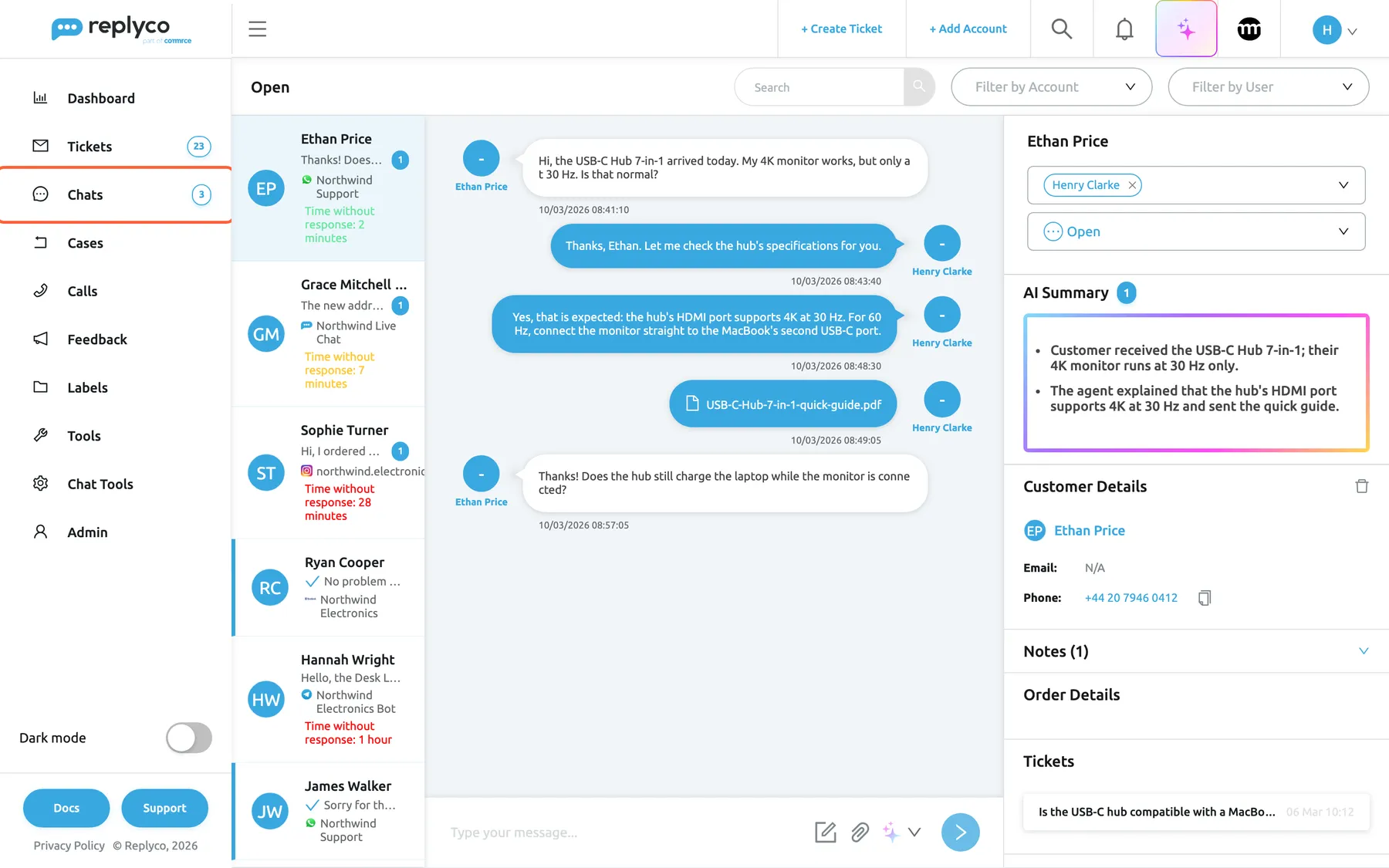
What this screenshot shows
- Screen
- Chats (/chats/:type/:chatId)
- Highlighted
- menuitem “Chats”, sidebar, selected. opens the chat lists My Chats
- Also visible
- badge 3 on Chats; 6 open chats on 5 channels; an open WhatsApp conversation; side panel with assignees, status, AI Summary, customer, notes, order, tickets
- Purpose
- the Chats area
The screens in this area
Section titled “The screens in this area”| Screen | What it is for |
|---|---|
| Chat list and conversations | The My Chats, Open and Closed lists, an open conversation with its side panel, and the reply box |
What you can do here
Section titled “What you can do here”- Answer a customer in their channel, with chat templates, files and an AI rewrite, within the channel’s reply window. Answer a chat
- Share the work: assign chats to one or more colleagues, and close them when done. Chat list and conversations
- Catch up on a long chat with an AI summary before you answer. AI summaries
- Greet customers automatically on Messenger, Instagram, Telegram, TikTok Shop and live chat; WhatsApp chats never get an auto-response. Auto-responses for chats
- Send a live chat customer the conversation by email. Transcripts
- Track response times and chat volume by colleague and channel. Chats dashboard
Concepts
Section titled “Concepts”- Responsible and assigned. You see a chat in Open when you are responsible for its account or live chat widget, or assigned to it; My Chats holds only the chats assigned to you. See Choose a list and read it.
- Open and closed. A chat stays open until someone closes it, and any new message reopens it. See Assign a chat and close it.
- Reply window. WhatsApp, Messenger and Instagram accept an ordinary reply only within 24 hours of the customer’s last message. See Answer a chat.
Availability: chats, WhatsApp and the live chat widget are part of every plan. Each user needs the Chats permission, set by an admin; see User permissions and roles and What each plan includes.