

Tickets
Every message a customer sends to one of your connected accounts, whether a marketplace message, an email or a messenger chat, arrives in Replyco as a ticket. A ticket keeps the whole conversation with that customer about one matter, together with the order, the customer’s details, notes and attachments, and your replies go back through the channel the customer used. To connect a marketplace, a mailbox or a messenger, see Accounts and integrations.
Tickets in the sidebar holds your ticket lists. Each list is a view of the same tickets, sorted by what needs doing: Not Resolved for everything still open, My Tickets and Unassigned for who is handling what, and Snoozed, Delayed and Archive for tickets that are waiting or done. To find out which tickets each list holds, see Ticket lists. Which lists you see is set for each user by an admin: a user can, for example, have My Tickets without All Tickets. See Invite users and set what they can do.
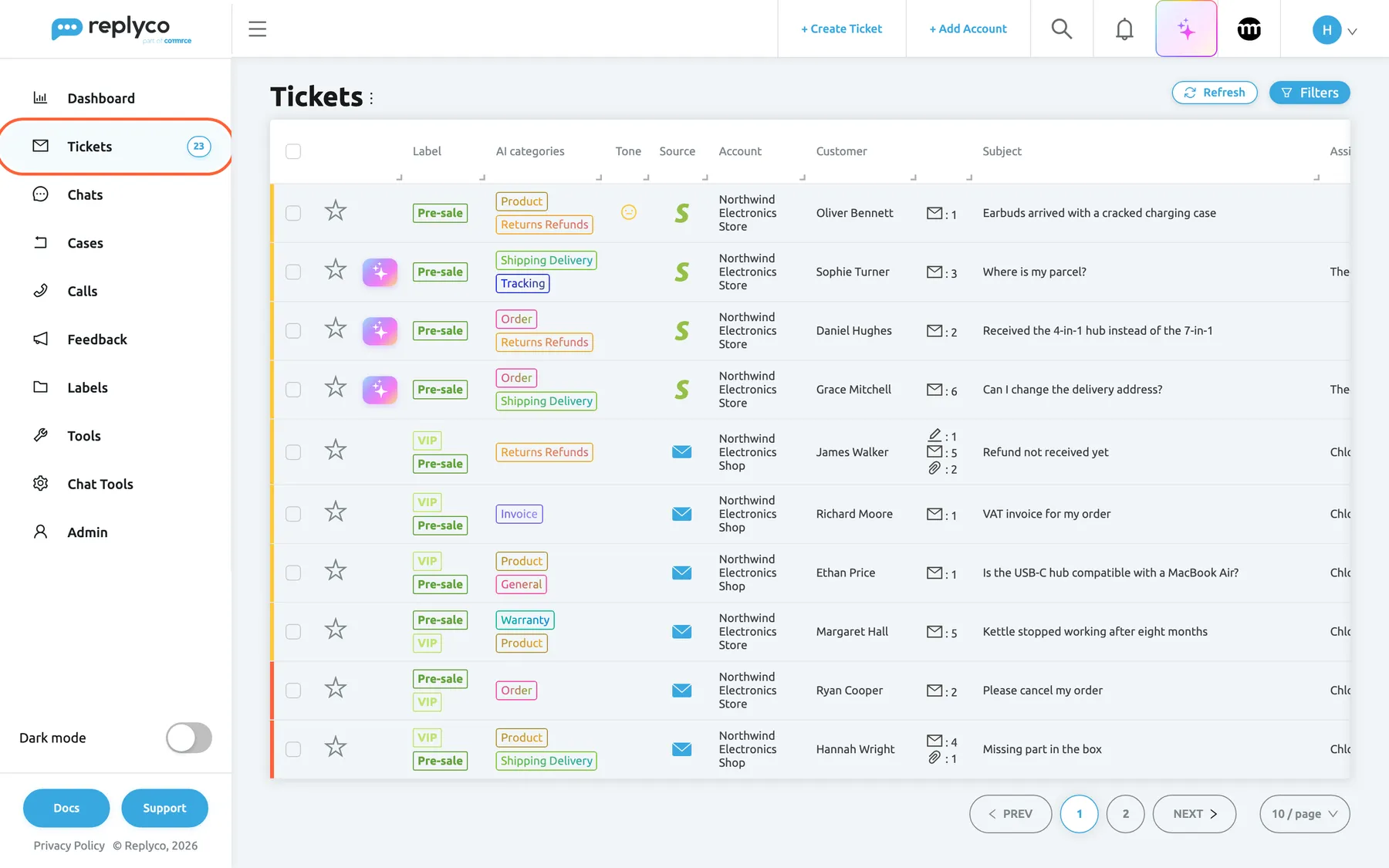
What this screenshot shows
- Screen
- Not Resolved (/tickets/notresolved)
- Highlighted
- menuitem “Tickets”, sidebar-left, selected. expands the list of ticket views
- Also visible
- ticket table with label, source, account, customer, subject, assignee, deadline and last message columns; Refresh and Filters buttons top right
- Purpose
- where tickets live in Replyco
The screens in this area
Section titled “The screens in this area”| Screen | What it is for |
|---|---|
| Ticket lists | Every view of your tickets, from Not Resolved to Delayed, with columns, filters and bulk actions |
| The ticket screen | One conversation with its customer, order, notes, AI summary and reply editor |
| Smart Filters | Lists you define yourself, with their own counters |
| Blocked tickets | Tickets from customers you have blocked |
| Archived tickets | Tickets you have archived, still searchable |
| Create Ticket | Start a conversation yourself or forward a message |
What you can do here
Section titled “What you can do here”- Answer a customer from the ticket, with templates, attachments, translation and delayed sending. Answer a ticket.
- Keep the list short: resolve what is done, snooze what waits, archive what you want out of sight. Resolve, snooze or archive a ticket.
- Share the work by assigning tickets, labelling them and merging two conversations into one. Assign, label and merge tickets.
- Answer the most urgent first, by priority and response deadline. Ticket priorities and SLA.
- Let AI prepare the work: a summary of each conversation, a drafted reply, categories and the customer’s tone. AI summaries, AI drafts, AI categories, Message tone analysis. Every AI feature is explained in AI features.
Concepts
Section titled “Concepts”- Resolve, snooze or archive a ticket explains the life of a ticket from new to archived.
Availability: every plan includes tickets and Smart Filters. Companies on an older plan may not have every feature described in this section; see What each plan includes.