

Cancel your subscription
Cancel your Replyco subscription from AdminBilling, and it ends with the period you have already paid for: until then your team works as usual, and nothing more is charged afterwards. Cancelling does not delete your data straight away; Replyco removes the company 45 days after the plan ends unless you subscribe again. It takes a minute: you give a reason and a short comment, then a 20-second countdown lets you change your mind.
Before you start
Section titled “Before you start”| You need | Where it lives |
|---|---|
| The Admin permission and the Billing permission with Edit rights | AdminUsers; see User permissions and roles |
| A plan your company pays for through Replyco | AdminBilling; see Billing |
| Copies of anything you want to keep: invoices, reports, ticket lists | Billing: Payment for invoices; Export tickets and reports for tickets and reports |
| The date your paid period ends, if you want to time the cancellation | The upcoming invoice on the Subscription tab |
Availability: every plan paid through Replyco; if your company pays through Shopify, see If you pay through Shopify. During the free trial there is nothing to cancel: the trial ends by itself and never turns into a paid plan. If price is the reason, compare the plans first in Subscribe to a plan.
-
Open AdminBilling. On the Subscription tab, select Cancel at the top right.
The dialog opens with We're sad to see you go.... Nothing is cancelled yet.
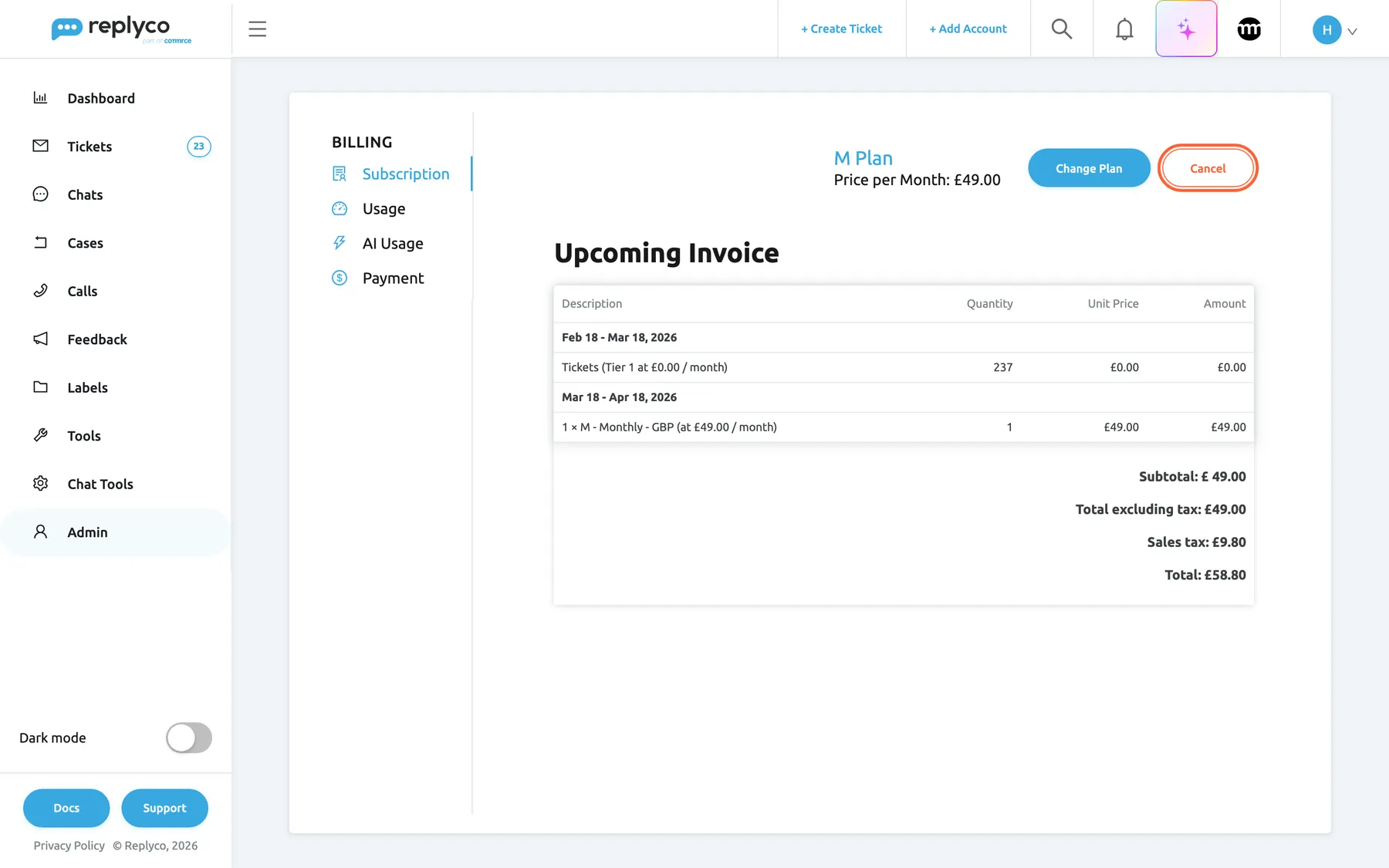
Cancel on the Subscription tab starts the cancellation. What this screenshot shows
- Screen
- Billing (/billing)
- Highlighted
- button “Cancel”, top-right, enabled. opens the cancellation dialog
- Also visible
- M Plan, Price per Month £49.00; Change Plan button; Upcoming Invoice total £58.80
- Purpose
- the entry point of the cancellation
-
Choose the reason that fits best: Missing features I need, Too expensive, Switching to another product, Technical issues, Switching to another Replyco subscription or Other. Then write a short comment in the box.
The comment is required. If you select Cancel Subscription without one, the box turns red and shows Comment is required.
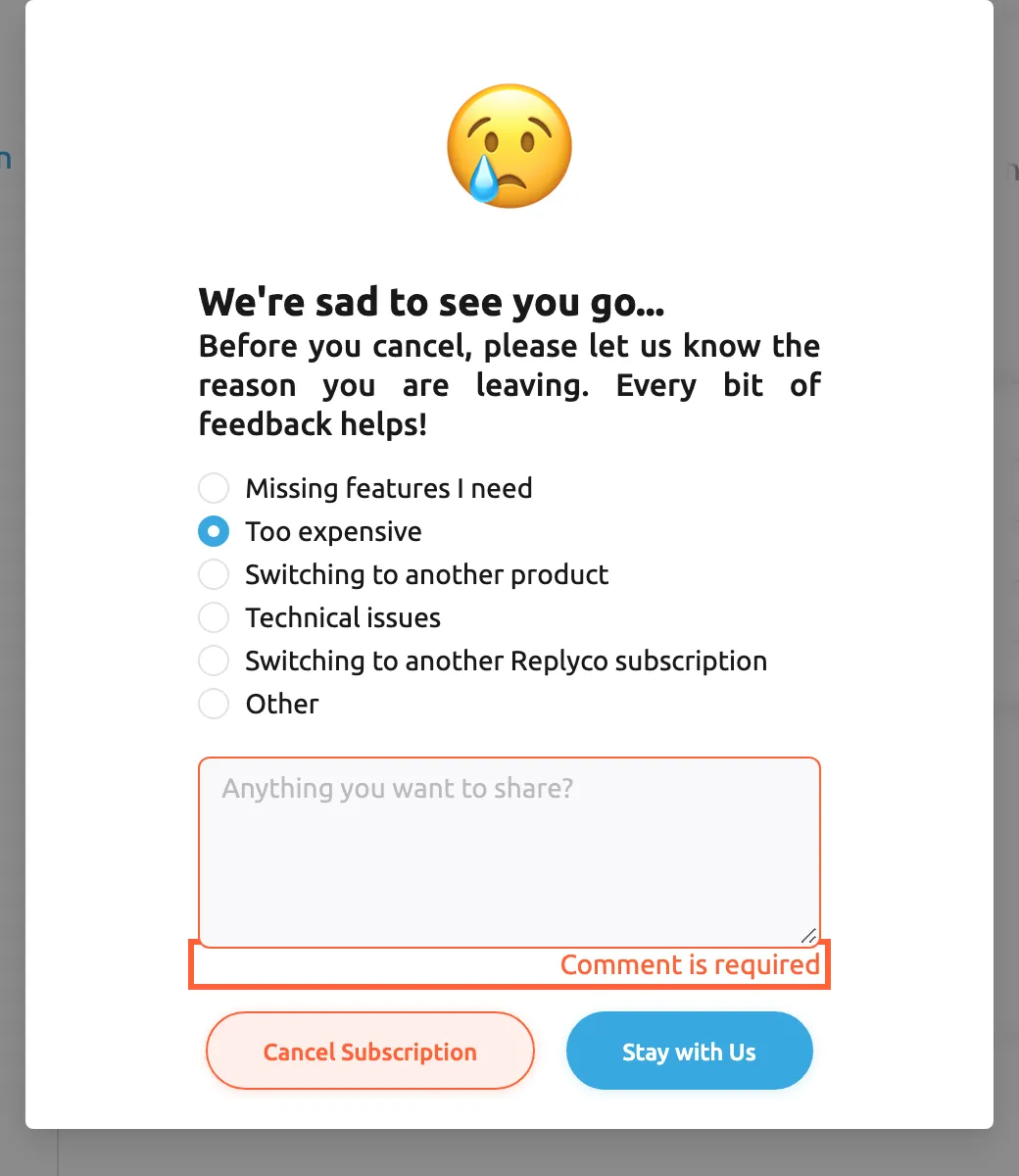
A comment is required; without it the dialog does not move on. What this screenshot shows
- Screen
- Billing (/billing)
- Highlighted
- text “Comment is required”, cancellation-dialog, shown in red. none
- Also visible
- reason Too expensive selected; empty comment box with red border
- Purpose
- the comment is required
-
Select Cancel Subscription.
The dialog shows Your subscription will be cancelled in with a countdown of 20 seconds. To keep your plan, select Stay with Us before the countdown ends; the dialog closes and nothing changes.
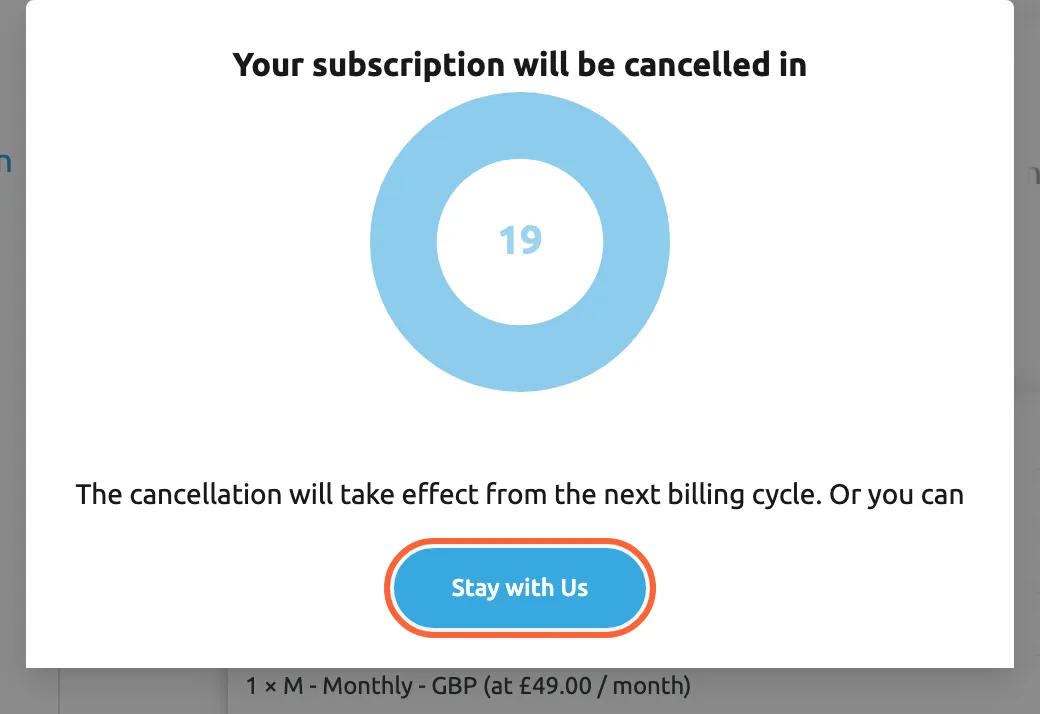
You have 20 seconds to change your mind; Stay with Us stops the cancellation. What this screenshot shows
- Screen
- Billing (/billing)
- Highlighted
- button “Stay with Us”, cancellation-dialog-bottom, enabled. closes the dialog and keeps the plan
- Also visible
- countdown circle; note about the next billing cycle
- Purpose
- the last chance to stop
-
Let the countdown run out.
Replyco cancels the subscription and confirms with Subscription successfully updated.. The Subscription tab now shows Cancellation date in red with the date your plan ends, and the Cancel button is gone.
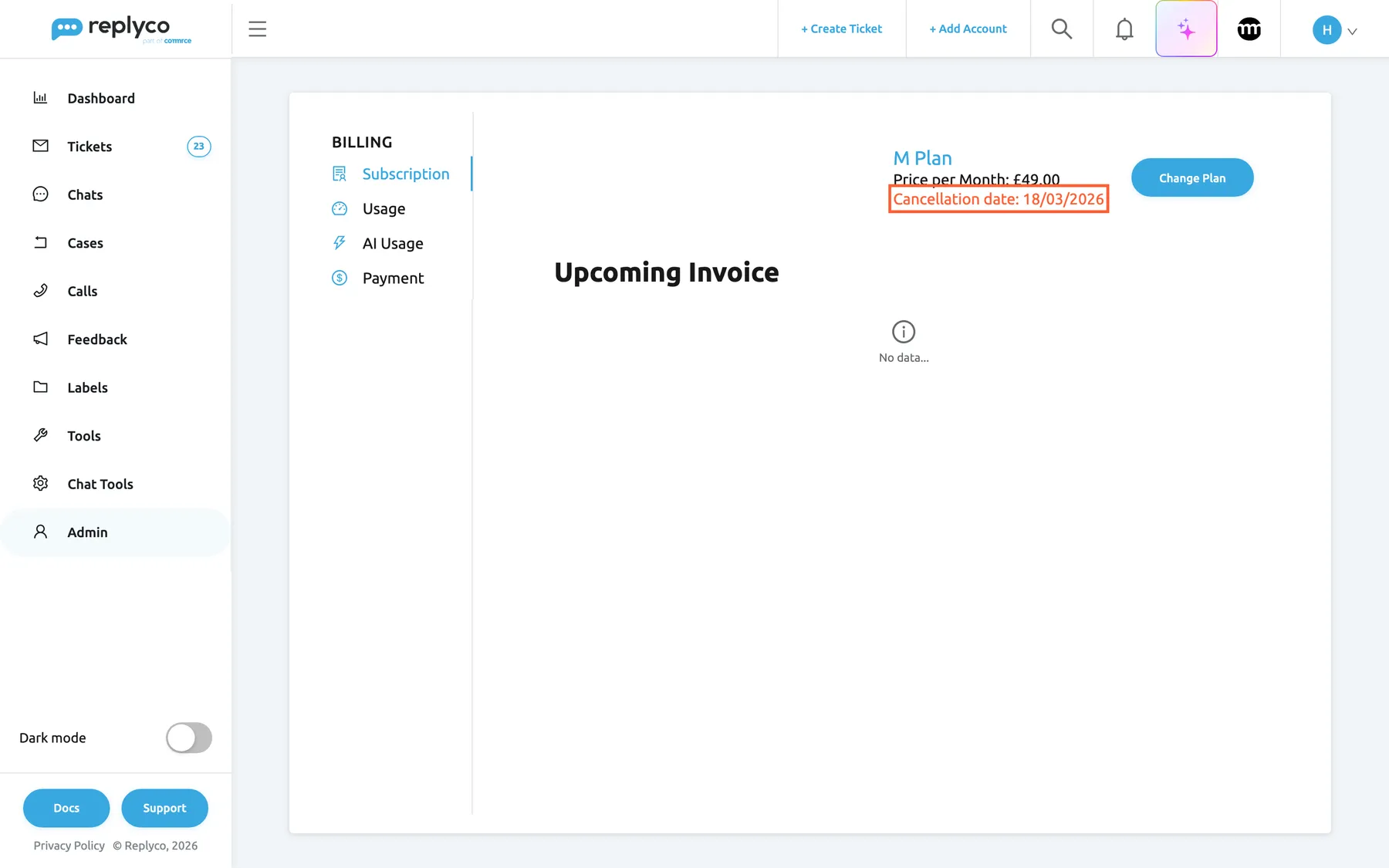
After the countdown the tab shows the date the plan ends; everything works until then. What this screenshot shows
- Screen
- Billing (/billing)
- Highlighted
- text “Cancellation date”, top-right, shown in red. none
- Also visible
- Cancellation date 18 Mar 2026; Change Plan button, no Cancel button; Upcoming Invoice: No data...
- Purpose
- the result of the cancellation
What happens next
Section titled “What happens next”Until the date shown, nothing changes: your accounts keep syncing, your team answers tickets and every feature of your plan stays on. The upcoming invoice disappears because no further invoice is due. Your reason and comment are stored with the cancellation for Replyco’s team.
When the paid period ends:
- your plan is removed, and Replyco opens only the subscription screen and the Help screen for everyone who signs in;
- new messages from your accounts are no longer collected;
- 21 days after the end, Replyco emails your company’s address that the account will be removed in 24 days;
- 45 days after the end, Replyco deletes the company with all its users, accounts, tickets and settings. This cannot be undone.
To check that the cancellation worked, open AdminBilling and look for Cancellation date under the plan name. To come back before the data is deleted, subscribe again in Subscribe to a plan; your tickets and settings are still there.
If you pay through Shopify
Section titled “If you pay through Shopify”Companies billed through Shopify have no Billing item in the Admin menu, so the steps above do not apply to them. Uninstall the Replyco app in your Shopify admin. This ends the subscription at once and removes the Shopify store from Replyco. From that day on, everything else happens as described in What happens next.
Options
Section titled “Options”| Choice | When to pick it | Effect |
|---|---|---|
| A larger or different plan instead | You need more tickets or accounts | Change Plan on the same tab; the new plan applies at once, see Subscribe to a plan |
| A smaller plan instead | Price is the reason | The plan comparison offers only your plan and larger ones; ask support, see Help and support |
| Have your data deleted sooner | You do not want to wait 45 days | Ask support to delete the company; see Help and support |
| Subscribe again later | You change your mind | Before the 45 days are over, everything is kept; after that, you start with a new company |
If something goes wrong
Section titled “If something goes wrong”| Symptom | Check | Fix |
|---|---|---|
| Billing is not in the Admin menu | Do you have the Billing permission? Is your company still on its trial, or billed through Shopify? | Ask an administrator for the permission; a trial needs no cancelling; with Shopify billing, see If you pay through Shopify |
| There is no Cancel button | Does the plan line show Cancellation date or The subscription is cancelled? | The subscription is already cancelled; nothing more to do |
| Cancel Subscription does nothing and the comment box turns red | Is the comment empty? | Write a short comment and select Cancel Subscription again |
| The dialog closed but the plan is not cancelled | Was Stay with Us selected before the countdown ended? | Start again at step 1 and let the countdown run out |