

Cases
When an eBay buyer wants to send an item back, or says an item never arrived, eBay opens a case: a return request or an item-not-received inquiry. eBay gives you a date to answer by, and if you miss it, eBay can decide in the buyer’s favour. Replyco imports these cases from your eBay accounts, so your team sees and answers them where it already answers eBay messages, without Seller Hub. To connect an eBay account, see eBay.
Cases in the sidebar lists the open cases of every eBay account you may see, one row per case, with eBay’s type, state, status and deadline. Selecting a case opens it with eBay’s history and the actions eBay allows at that moment, such as approving a return, giving a return label, refunding or writing to the buyer; what you send goes to eBay and reaches the buyer there. Cases are switched on per company, with Enable eBay Cases in AdminCompany Settings; see Company Settings.
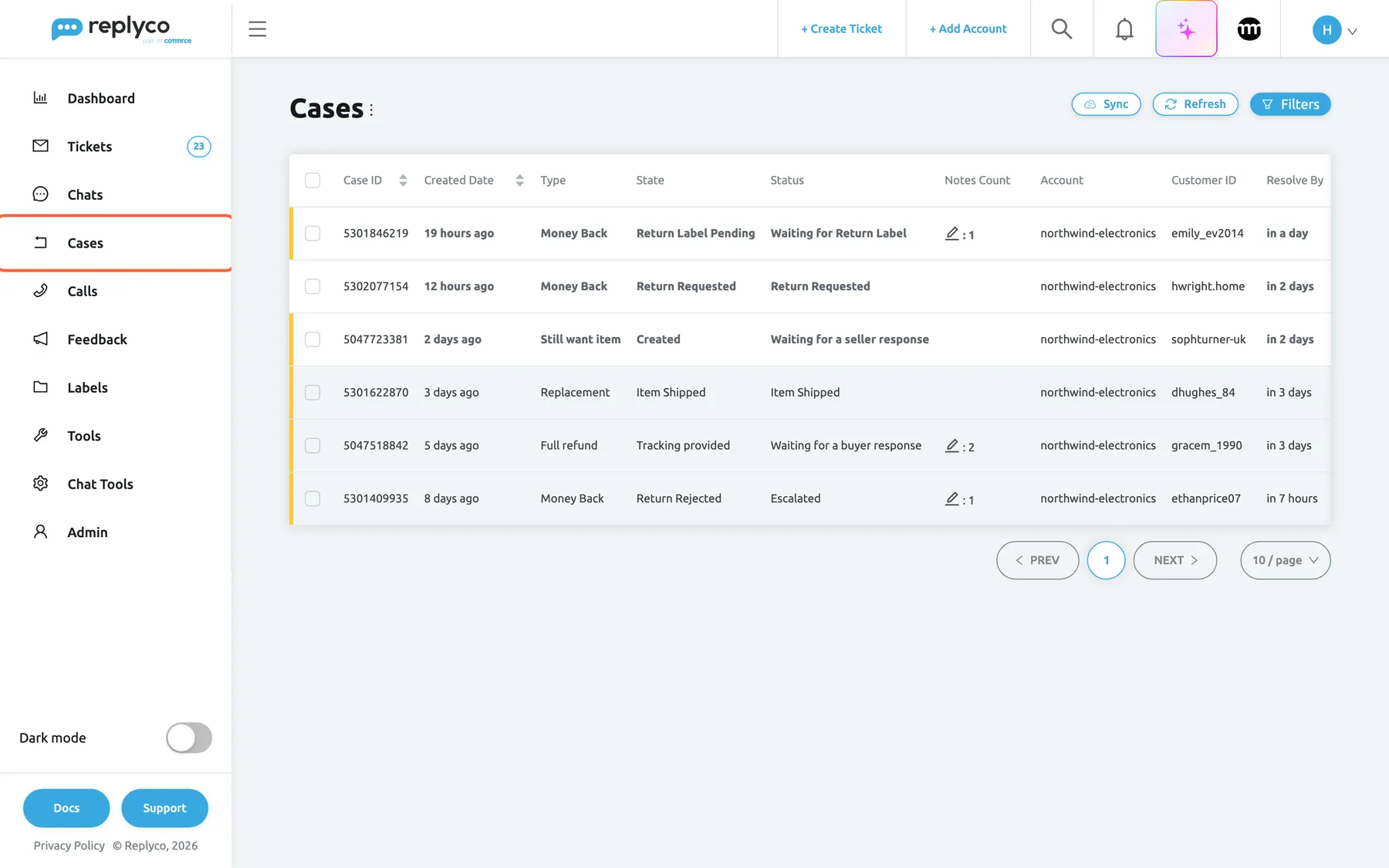
What this screenshot shows
- Screen
- Cases (/cases)
- Highlighted
- menuitem “Cases”, sidebar-left, selected. opens the case list
- Also visible
- six open cases: four returns, two item-not-received inquiries; Sync, Refresh and Filters top right
- Purpose
- where eBay cases live in Replyco
The screens in this area
Section titled “The screens in this area”| Screen | What it is for |
|---|---|
| Case list | Every open eBay return and item-not-received inquiry, with filters, marketplace search, read states and Sync |
| The case screen | One case with eBay’s history, the actions eBay allows, the refund amounts, the buyer, the order and notes |
| Shipping Labels | Your company’s library of return labels, offered when you give a buyer a label; under ToolsShipping Labels |
| Cases dashboard | Figures on eBay return cases: how many are not resolved yet, how many opened in a period, the status of the new ones and the average time to close them |
What you can do here
Section titled “What you can do here”- Switch eBay cases on and decide who works on them. eBay cases · Company Settings
- Work through open cases by deadline, and find a case by number, buyer or status. Case list
- Answer a return with the actions eBay offers: approve, refund, offer part of the money, or write to the buyer. The case screen
- Give the buyer a return label from your label library or as a file. The case screen · Shipping Labels
- Handle an item that did not arrive: close, escalate, refund or write to the buyer. The case screen
- See how your team is doing with cases over time. Cases dashboard
Concepts
Section titled “Concepts”- Returns and item-not-received inquiries are eBay’s two kinds of case. For a return, eBay decides which actions you may take at each stage; for an inquiry, Replyco works them out from the inquiry’s state.
- Deadlines belong to eBay. Resolve By in the list and Response Due inside a return are eBay’s dates for your answer. Replyco never acts on a deadline by itself.
- How cases are imported, updated and matched to tickets, and what each state means, is explained in eBay cases.
Availability: cases are part of every current plan; companies on an older plan may not have them. The menu needs the Cases permission and Enable eBay Cases; sending actions needs the Cases permission with editing; managing the label library needs the Shipping Labels permission. See What each plan includes and User permissions and roles.