

Admin
The Admin area is where Replyco is set up for the whole company: the marketplace, webstore, mailbox and messenger accounts your customers’ messages arrive from, the company’s defaults and working time, the priorities that give tickets their deadlines, the colleagues who use Replyco and what each of them can see, and the plan your company pays for. Administrators use it when they set Replyco up and whenever the business changes, and every change here applies to every user.
Admin in the sidebar is shown to users with the Admin permission. Which entries it lists depends on further rights, on your billing and on what you have connected: Company Settings needs Edit rights on top, Billing needs the Billing permission and a paid plan, and Linnworks settings and Billbee Configuration appear once Linnworks or Billbee is connected. What each permission opens is explained in User permissions and roles.
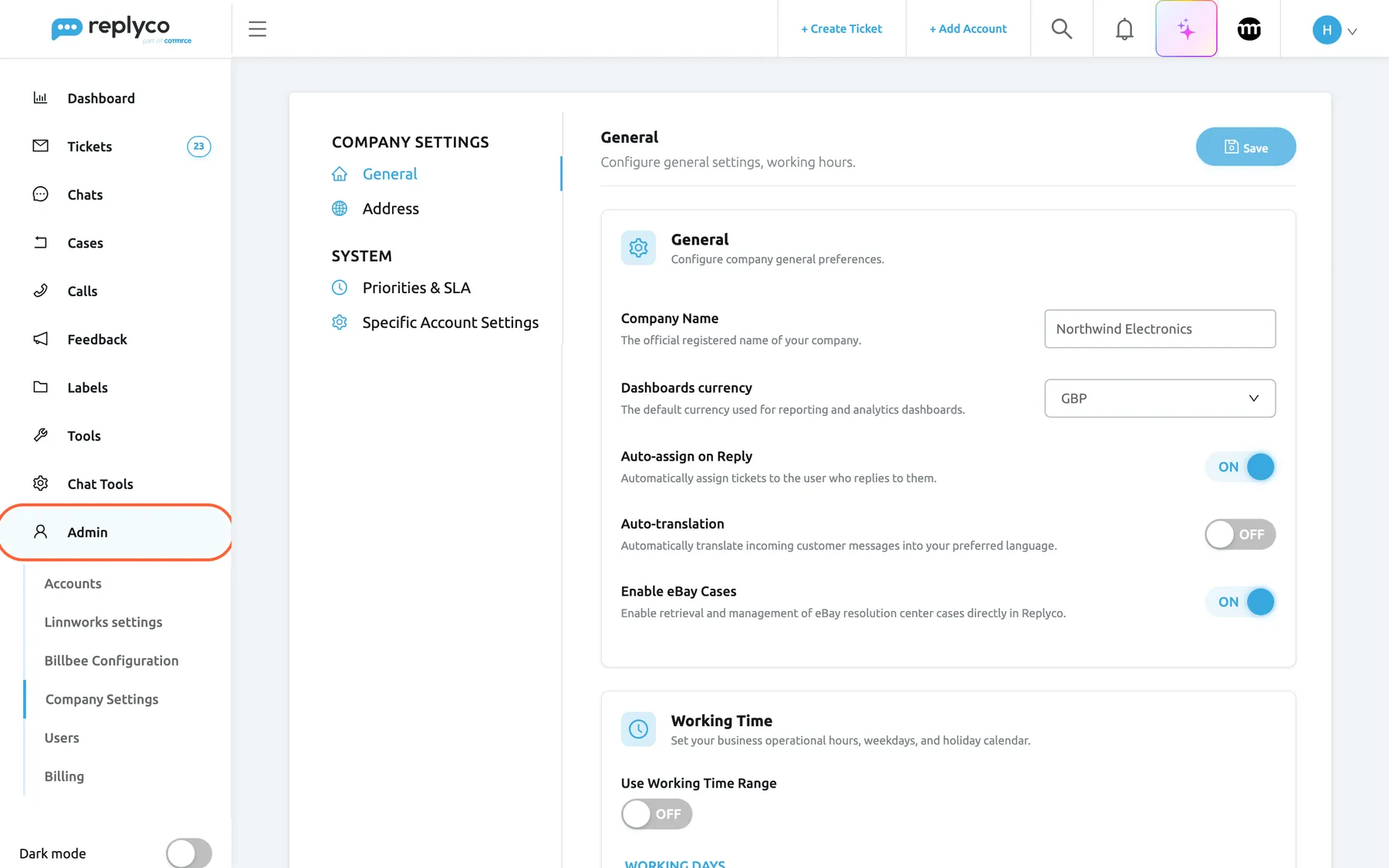
What this screenshot shows
- Screen
- Company Settings (/company)
- Highlighted
- menuitem “Admin”, sidebar-left, expanded. lists the administration screens
- Also visible
- Accounts; Linnworks settings; Billbee Configuration; Company Settings (current); Users; Billing; Company Settings General tab
- Purpose
- the Admin section at a glance
The screens in this area
Section titled “The screens in this area”| Screen | Where | Who sees it | What it is for |
|---|---|---|---|
| Accounts | AdminAccounts | The Admin permission | Every connected account and whether it syncs; add, reconnect, unblock or delete accounts |
| Linnworks settings | AdminLinnworks settings | The Admin permission, while Linnworks is connected | Which Linnworks reference fields Replyco compares with an order number |
| Billbee Configuration | AdminBillbee Configuration | The Admin permission, while Billbee is connected | The Billbee custom triggers agents can send to an order |
| Company Settings | AdminCompany Settings, tabs General and Address | The Admin permission with Edit rights | Company name, reply and translation defaults, eBay cases, working time and the billing address |
| Priorities & SLA | AdminCompany Settings › Priorities & SLA | Admin with Edit rights | The priorities that give tickets respond and resolve deadlines |
| Specific Account Settings | AdminCompany Settings › Specific Account Settings | Admin with Edit rights | Ticket merging and the order link, account by account |
| Users | AdminUsers | The Admin permission | Invite colleagues, set their role and access rights, block or delete them |
| Billing | AdminBilling, tabs Subscription and AI Usage | The Admin and Billing permissions, once your company pays for a plan through Replyco | Your plan, its price, the next invoice and, on a usage-based plan, the AI work Replyco does |
| Billing: Usage | AdminBilling › Usage | As Billing, on a usage-based plan only | The billable tickets and chats of this payment period |
| Billing: Payment | AdminBilling › Payment | As Billing | Cards, charges and invoices |
| Subscribe to a plan | Subscribe now in the sidebar during the trial, or Change Plan on AdminBilling | Every user can compare the plans; subscribing needs Billing with Edit rights | Choose a plan, subscribe or move to a larger one |
What you can do here
Section titled “What you can do here”- Connect your channels and keep them syncing: add a marketplace, webstore, mailbox or messenger, and reconnect an account that needs a new login. Accounts, Add Account.
- Set the defaults your whole company works with, from auto-assignment and translation to the working days, hours and holidays that deadlines, auto-responses and the live chat widget follow. Company Settings, Working time.
- Answer the most urgent tickets first by giving them priorities with respond and resolve deadlines. Priorities & SLA, Ticket priorities and SLA.
- Bring your team in and decide which ticket lists, labels and accounts each colleague sees. Invite users and set what they can do, Users.
- Merge a customer’s messages into one ticket per account, and open orders in your own system from a ticket. Specific Account Settings, Ticket merging.
- Manage what you pay: see the plan and its usage, keep a card on file, download invoices, or change and cancel the plan. Billing, Billing: Payment, Cancel your subscription.
Concepts
Section titled “Concepts”- User permissions and roles explains what each permission opens, including the difference between View and Edit rights.
- Working time explains the company’s working days, hours and holidays, and every feature that follows them.
- What each plan includes explains that every current plan includes every feature, and how plans differ in price and number of accounts.
Availability: the Admin menu needs the Admin permission; Company Settings needs it with Edit rights, and Billing also needs the Billing permission. Every plan includes Users and the Priorities & SLA tab; companies on an older plan may not have them, see What each plan includes. During a trial every feature is on and Billing is not in the menu.