

Calls
Replyco brings your phone calls from Aircall next to your written customer service. You phone in Aircall as before; Replyco receives every call of your connected Aircall accounts as it happens, with its times, its outcome, the agent who took it, its Aircall tags and the comments your team wrote in Aircall. Each call is linked to a customer by phone number or e-mail address, so the person who rang about a parcel is the same customer who wrote you a ticket about it. To connect an Aircall account, see Connect Aircall.
Calls in the sidebar opens the call list, newest call first. From there you open a call to play its recording or voicemail, which Replyco fetches from Aircall when you ask, to keep notes for your team, and to go to the customer’s tickets or link the order the call was about. Replyco shows and follows up calls; it does not make or take them. The status of a call is the one Aircall reports: Done covers answered and missed calls alike, and the call screen tells them apart with the Missed reason.
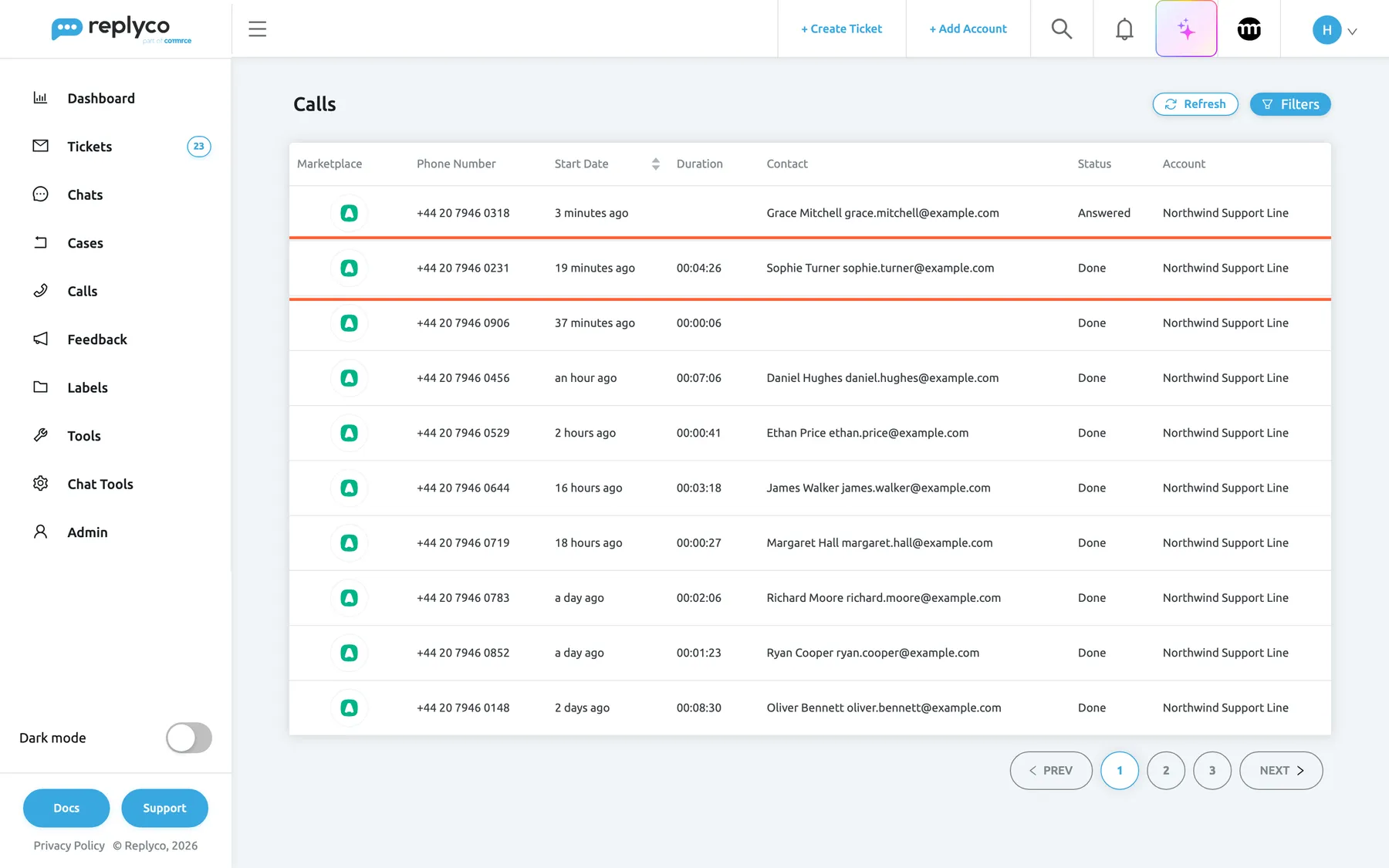
What this screenshot shows
- Screen
- Calls (/calls)
- Highlighted
- row “”, table, enabled. opens the call screen for Sophie Turner's call
- Also visible
- Calls selected in the sidebar; ten calls of Northwind Support Line; one Answered, nine Done; Refresh and Filters buttons
- Purpose
- the main screen of the Calls section
The screens in this area
Section titled “The screens in this area”| Screen | What it is for |
|---|---|
| Call list | Every call of your Aircall accounts, ten to a page, with search by number, name or e-mail and a filter by account |
| The call screen | One call: times, status, direction, missed reason, agent and tags; the recording or voicemail; notes; the customer, their tickets and a linked order |
What you can do here
Section titled “What you can do here”- Find every call from one customer by part of the number, the name or the e-mail address. Find a call
- Listen to a call or a voicemail with Load recording, straight from Aircall. Listen to the recording or voicemail
- See why a call was missed, from outside opening hours to nobody answering. Read the call details
- Leave notes for your team and mention a colleague who should call back. Keep notes on the call
- Connect the call with the customer, their tickets and an order, so you can answer in writing what they asked on the phone. Check or change the customer · Link an order
- Connect Aircall so the list fills. Connect Aircall
Concepts
Section titled “Concepts”- Where calls come from. Aircall reports each call to Replyco as it starts and again when it is answered, ended, tagged or commented on; every three hours Replyco also imports recent calls. See Call list.
- How a call finds its customer. One customer with the same phone number or e-mail address is linked; with none, Replyco creates a customer from the Aircall contact; with several, you choose. See Check or change the customer and Customers.
Availability: Calls is part of every plan. The Calls menu needs the Calls permission, which an admin sets per user; linking a customer or an order needs it with edit rights. The list fills once an Aircall account is connected. See What each plan includes and User permissions and roles.