

Reference
This section explains two sets of rules that shape everything else in Replyco: what your plan includes, and what each person in your team may see and change. Every current plan includes every feature, from Replyco AI and chats to priorities, auto-responses and user roles; plans differ in price and in the number of accounts. Permissions then decide, colleague by colleague, which of those features appear in their menus. To connect your first channels and invite your team, start with Set up Replyco for your team.
Both rules are set by administrators. The plan is chosen on the Subscription tab of AdminBilling; roles and access are set per person on the Access Rights tab of AdminUsers. A menu appears only when the person’s permissions allow it, which is why two colleagues in the same company can see different sidebars; on an older plan, the plan must include the feature too.
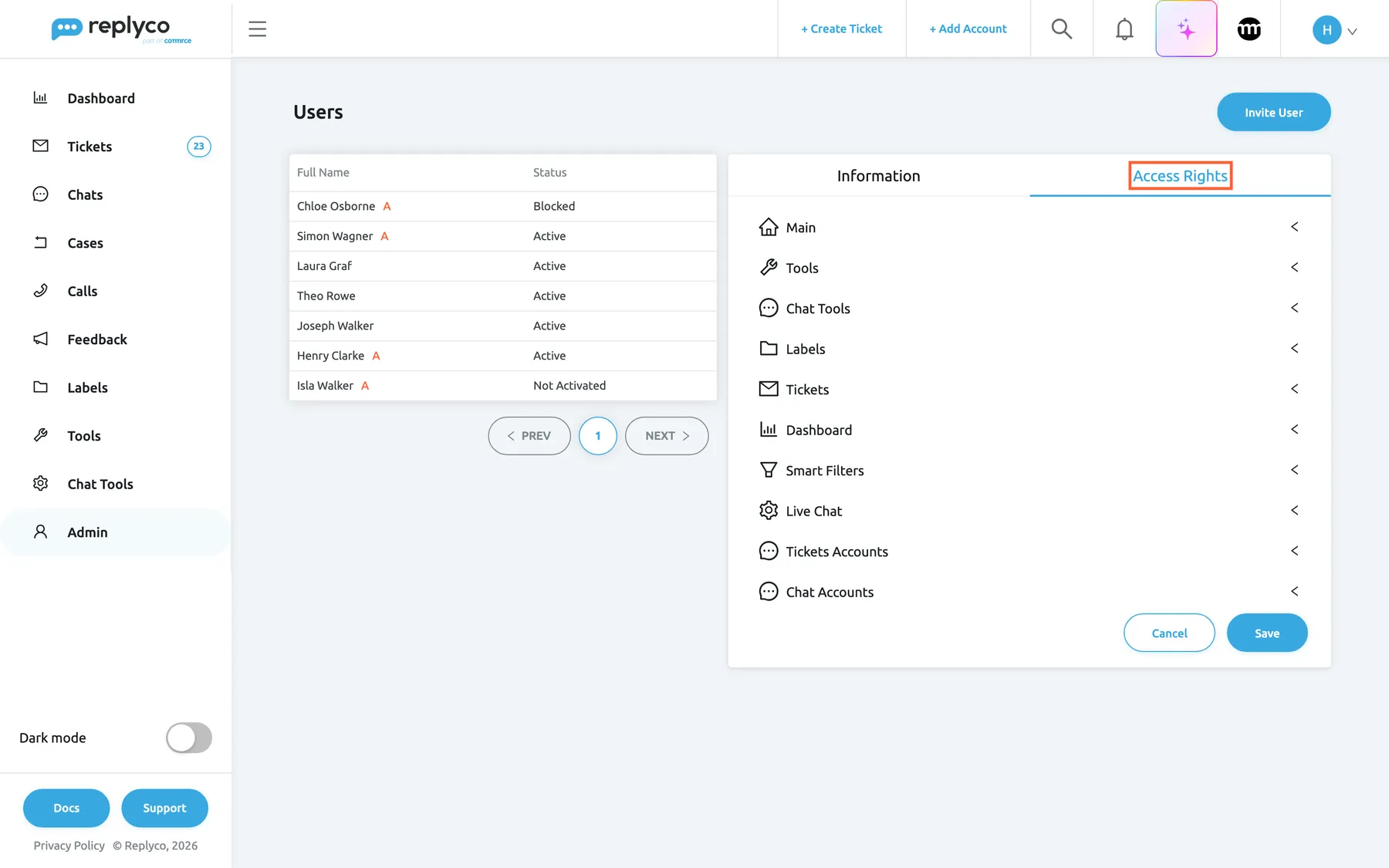
What this screenshot shows
- Screen
- Access Rights (/users)
- Highlighted
- tab “Access Rights”, details-panel, selected. shows the user's permissions, ticket lists, dashboards, labels, filters, widgets and accounts
- Also visible
- seven users with status and red A for administrators; ten collapsed Access Rights sections
- Purpose
- the main surface of the Reference section
The screens in this area
Section titled “The screens in this area”| Screen | What it is for |
|---|---|
| Users | Invite colleagues and give each one a User Role and their Access Rights |
| Billing | See your plan and its price, and change or cancel it |
| Subscribe to a plan | Compare the plans and choose one |
What you can do here
Section titled “What you can do here”- Give a colleague the right role in one step: Admin, Moderator or User. User permissions and roles.
- Let someone read without changing, with View instead of Edit for an area. User permissions and roles.
- Split the work by channel or topic, by limiting a colleague’s accounts, labels and ticket lists. User permissions and roles.
- Find out why a menu is missing, whether it is the plan or a permission. Permissions and your plan.
- Check what your plan includes, and how plans differ in price and accounts. What each plan includes.
Concepts
Section titled “Concepts”- User permissions and roles explains permissions, their View and Edit modes, roles, ticket lists, dashboards, labels and accounts.
- What each plan includes explains that every current plan includes every feature, how plans differ, what a trial includes and what an older plan may lack.
Availability: every company has a plan or a trial. Every current plan includes user permissions and roles, and during a trial every feature is on; companies on an older plan may not have them (see What each plan includes). Changing them needs the Admin permission in Edit mode.